
How to Set Up a Charging Station for Your Devices at Home
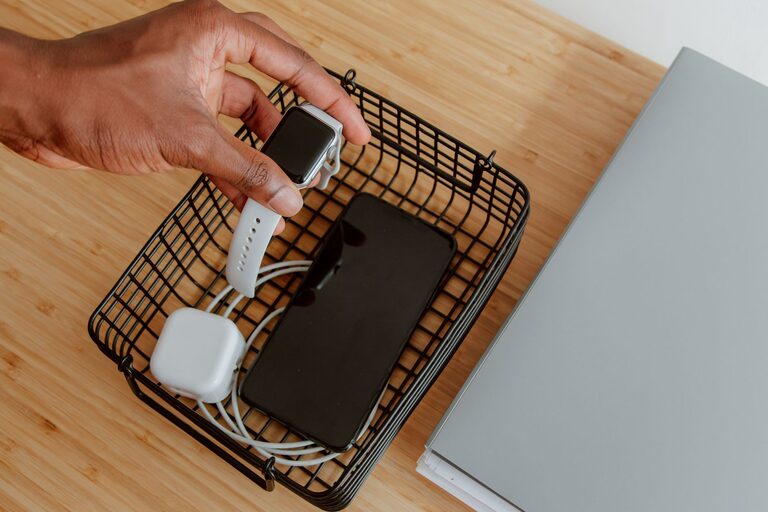
Setting up a dedicated charging station for your devices can help reduce clutter, keep cords organized, and ensure everything is charged and ready when you need it. Whether you have smartphones, tablets, laptops, or wearable devices, a well-planned charging station is a convenient addition to any home or workspace.
In this guide, we’ll walk you through the steps to create an efficient charging station tailored to your needs.
Why Set Up a Charging Station?
With so many gadgets in daily use, charging cables often become tangled and scattered around the house. A charging station keeps all your cords and devices in one place, making it easier to manage power needs and reducing the risk of losing cables.
Benefits include:
– Improved organization
– Reduced clutter and mess
– Faster charging using multi-port chargers
– Safer charging with properly managed cords
– Easy access to devices while charging
Step 1: Choose the Right Location
The first step is to select a convenient and accessible spot for your charging station. Here are some tips:
– Central Location: Choose a place where devices are commonly used, such as the living room, kitchen counter, home office desk, or bedside table.
– Close to Power Outlets: Pick a spot near enough to an electrical outlet to avoid using long extension cords.
– Stable Surface: Make sure the surface is flat and stable to hold your devices safely.
– Ventilation: Avoid enclosed spaces without airflow, as some chargers and devices generate heat during charging.
Step 2: Gather Your Supplies
You will need a few basic items to set up a functional charging station:
– Multi-port USB charger: These chargers allow multiple devices to charge simultaneously from one outlet.
– Charging cables: Have the right cables for your phones, tablets, smartwatches, and other devices.
– Cable management tools: Cable clips, ties, or sleeves help keep cords organized.
– Station container or organizer: This can be a drawer organizer, a box, a custom wooden stand, or a purpose-built charging dock.
– Labeling: Optional labels for cables and ports to easily identify what belongs to which device.
Step 3: Select a Charging Solution
Depending on your needs, you can choose from several types of charging stations:
Multi-port USB Charging Hub
This is an ideal choice if you have several devices. These hubs often offer quick or fast charging capabilities and support charging for multiple gadgets at once.
Wireless Charging Pads
For devices compatible with wireless charging, a pad or stand can reduce cable clutter. Some wireless stations can charge multiple devices like your phone and earbuds simultaneously.
DIY or Custom Stations
You can build or repurpose items such as a wooden box with slots or a desk organizer with built-in cable management. This option allows customization to fit your style and space.
Step 4: Organize Cables Neatly
Cable clutter is one of the biggest challenges with multiple devices. Use these methods to keep cables tidy:
– Cable clips or holders: Stick these to the side or back of your charging station to keep cables in place.
– Velcro straps or twist ties: Bundle excess cable length to prevent tangling.
– Cable sleeves: Group several cables together for a cleaner look.
– Label cables: Use small tags or colored tape to mark which cable belongs to each device.
Step 5: Arrange Devices and Start Charging
Place your devices in the station so that they fit comfortably without overlapping or blocking each other. Connect all cables to the multi-port charger or wireless pad.
Tips:
– Position devices so you can easily see notifications.
– Avoid stacking devices directly on top of each other.
– Keep devices that generate heat spaced apart.
Step 6: Maintain Your Charging Station
To keep your setup working well over time:
– Regularly check cables for wear or damage.
– Clean dust and debris from chargers and devices.
– Reorganize cables if things become tangled.
– Upgrade your charging equipment as needed to support new devices.
Additional Tips
– Consider surge protectors to safeguard devices from power spikes.
– Use chargers with smart technology that adjusts charging speed to each device.
– If you have many devices, label both cables and ports for quick identification.
– For travel, compact charging stations or portable chargers help keep devices powered.
Conclusion
Creating a dedicated charging station is a simple and effective way to keep your devices organized, charged, and ready to use. By choosing the right location, using multi-port chargers, managing cables thoughtfully, and maintaining your setup, you’ll enjoy a clutter-free and efficient charging experience every day.
Start small with just a few devices and expand your station as needed. With a little planning, your charging station will quickly become one of your favorite tech organization tools.