
Beginner Tips for Taking Better Phone Photos
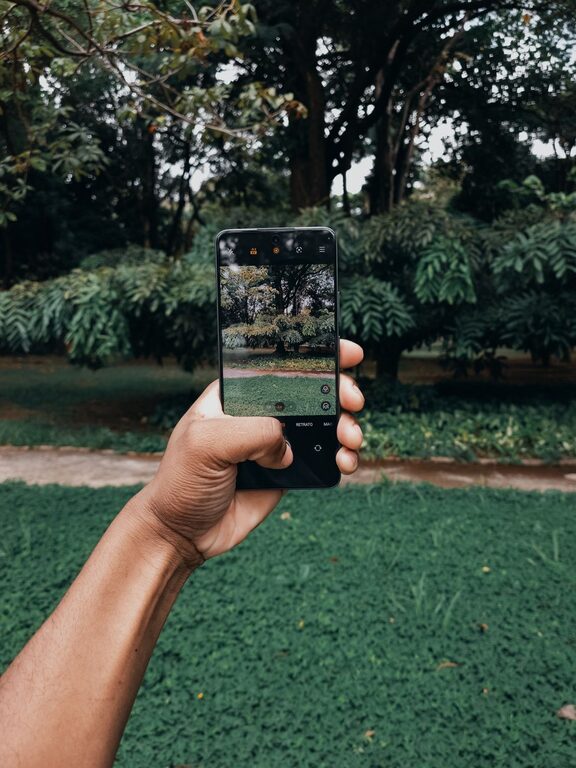
Taking great photos with your phone is easier than ever thanks to advances in camera technology. Whether you’re snapping shots for social media, capturing special moments, or just exploring photography as a hobby, a few simple tips can dramatically improve your images. This guide provides beginner-friendly advice to help you take better phone photos and make the most of your smartphone camera.
Understand Your Phone Camera
Before diving into shooting, spend some time exploring your phone’s camera features. Most smartphones offer various modes like portrait, night, panorama, and sometimes manual or pro modes.
– Open the camera app and familiarize yourself with its settings.
– Check if your phone allows adjusting exposure, focus, or white balance.
– Experiment with different shooting modes to see what works best for your subject.
Knowing what tools are available will give you more control over your photos.
Keep Your Lens Clean
A simple but often overlooked tip is keeping your camera lens clean. Phone lenses easily attract fingerprints, dust, and smudges, which can blur or dull your photos.
– Use a soft, lint-free cloth or microfiber cloth.
– Gently wipe the lens before photography sessions, especially if your phone has been in a pocket or purse.
Clean lenses produce sharper, clearer images.
Focus on Lighting
Lighting is one of the most important factors in photography.
– Natural light is generally best. Shooting outdoors in daylight or near windows indoors can enhance your photos.
– Avoid harsh midday sun that can create strong shadows; early morning or late afternoon light (golden hour) is softer and more flattering.
– If shooting indoors, try to use lamps or indirect light rather than your phone’s flash, which can wash out subjects or create red-eye.
Experiment with angles and lighting to find the best setup.
Compose Your Shot Thoughtfully
Good composition helps create balanced, visually appealing photos.
Use the Rule of Thirds
– Turn on the grid lines in your camera settings.
– Position your subject along the grid lines or at their intersections rather than centering them.
– This usually creates a more dynamic and engaging image.
Pay Attention to Backgrounds
– Avoid cluttered or distracting backgrounds that can take attention away from your subject.
– Look for simple, clean backgrounds or use shallow depth of field (portrait mode) to blur the background.
Experiment with Angles and Perspectives
– Try different viewpoints: get low to the ground, shoot from above, or move around your subject.
– Changing perspective can add interest and originality to your photos.
Keep Your Phone Steady
Blurry photos often result from camera shake.
– Hold your phone with both hands and keep your elbows close to your body.
– Lean against a stable surface if possible.
– Use a tripod or phone mount for extra stability, especially in low light.
Some phones also have built-in image stabilization—using it helps reduce blur.
Use the Zoom Sparingly
Digital zoom cuts image quality since it crops the photo rather than optically zooming.
– Instead of zooming in, move physically closer to your subject.
– If zoom is necessary, try to keep it minimal to retain sharpness.
Edit Your Photos
Even the best shots can benefit from light editing.
– Use simple editing apps that come built into your phone or free apps like Snapseed, Lightroom Mobile, or VSCO.
– Adjust brightness, contrast, saturation, and cropping to enhance your image.
– Avoid over-editing or filters that make photos look unnatural.
Practice Regularly
Photography is a skill that improves with practice.
– Take photos daily or whenever you have a chance.
– Review your shots to understand what worked and what didn’t.
– Experiment with different subjects, lighting conditions, and compositions.
Over time, you’ll develop an eye for great images and learn how to use your phone camera effectively.
Additional Tips for Specific Situations
Capturing People
– Focus on the eyes.
– Use portrait mode for a pleasing depth effect.
– Encourage natural expressions and candid moments over posed shots.
Landscape Photography
– Include interesting foreground elements to add depth.
– Shoot during golden hour for warm, soft light.
– Use panoramic mode for wide vistas.
Low-Light Photography
– Avoid using flash; instead, stabilize your phone.
– Use night mode if your phone supports it.
– Increase exposure time carefully but keep the camera steady.
—
With these beginner tips, you’ll be well on your way to taking better photos using just your smartphone. Remember, great photography is about creativity and practice as much as equipment. Have fun exploring and capturing the world around you!